Amchart
Description
amChart blocks are useful for building custom charts from the amChart library when specific chart blocks are not available for the chart you wish to build.
Example
Create / Edit
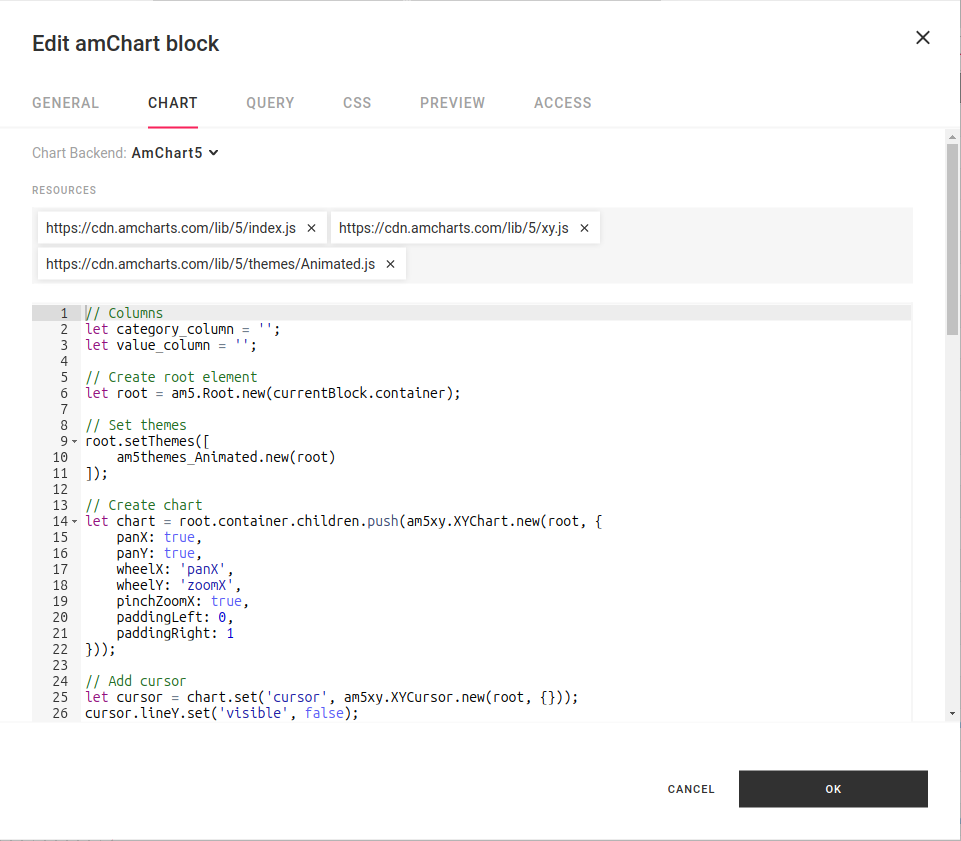
amChart Versions
Amchart block supports both Amchart 5 and Amchart 4. In order to create a Amchart 4 pass a JSON-based configuration to Amchart block. Amchart 5 can be created by JavaScript snippet.
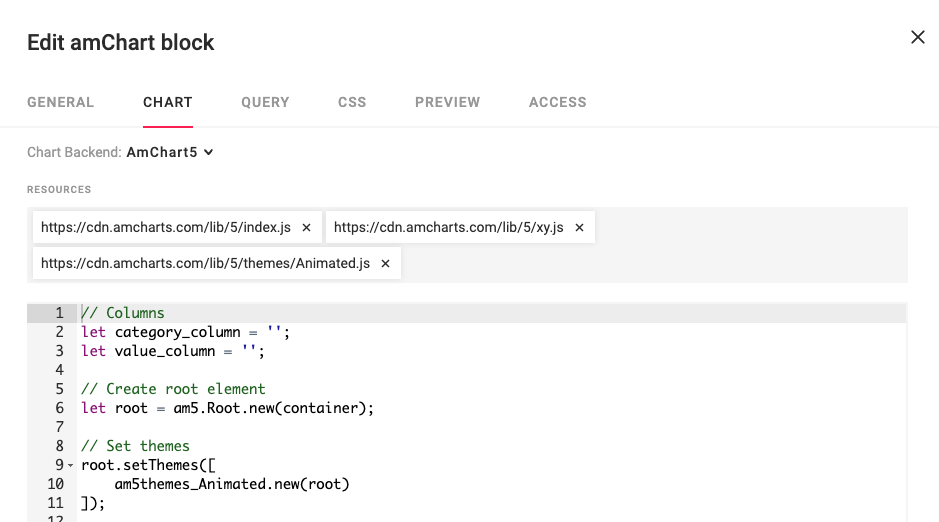
Resources
Different Amchart5 charts have a different list of dependencies. Those dependencies can be preloaded before building the chart. Also user can include not only amChart libraries but also other Javascript libs to use within Chart Script

In exmaple above we have a list of dependencies for Amchart:
https://cdn.amcharts.com/lib/5/index.jshttps://cdn.amcharts.com/lib/5/xy.jshttps://cdn.amcharts.com/lib/5/themes/Animated.js
And also we can have dependency of Lodash
https://cdn.jsdelivr.net/npm/lodash@4.17.21/lodash.min.js
Chart script
Chart script is a snippet of javascript that describe how Amchart should be rendered.
Portal provides an object currentBlock that contain required variables for Chart script to use in chart render. You can check examples of chart scripts on Amchart Demo page
Variables
| Variable | Type | Description |
|---|---|---|
| currentBlock.queryResults | object[] |
Array of query result objects, one per query (each has data, columns, and mappedData) |
| currentBlock.data | object[] |
(Deprecated) Shortcut to the first query's data |
| currentBlock.columns | string[] |
(Deprecated) Shortcut to the first query's columns |
| currentBlock.container | HTMLElement |
HTML element that should be used to render Amchart |
| currentBlock.onRefresh | Function |
Register a function that updates the chart |
currentBlock.queryResults
The queryResults property contains the results from all queries configured on the Query tab. It is an array of result objects, one per query, each with data, columns, and mappedData properties.
currentBlock.queryResults
// [
//   { data: [...], columns: ["col1", "col2"], mappedData: [...] },
//   { data: [...], columns: ["colA", "colB"], mappedData: [...] }
// ]
Each result's data is an array of key-value objects, which is the form amCharts consumes directly. Column values can also be accessed by name as a property on the data array (this returns the column's values across all rows).
currentBlock.queryResults[0].data
// [{"one": 11, "two": 12}, {"one": 21, "two": 22}]

currentBlock.queryResults[0].data[0]
// {"one": 11, "two": 12}

currentBlock.queryResults[0].data.one
// [11, 21]

currentBlock.queryResults[0].columns
// ["one", "two"]
currentBlock.queryResults[i].mappedData
The mappedData property on each query result is a plain array of {columnName: value} objects — the same rows mapped to their column definitions. For amChart blocks, mappedData carries the same row content as data, but without the column-name Proxy on top. Use mappedData when you want a plain JavaScript array of rows (for example, to JSON.stringify results, or to share with code that should not see the column-slice behavior of data).
currentBlock.queryResults[0].mappedData
// [{"one": 11, "two": 12}, {"one": 21, "two": 22}]

currentBlock.queryResults[0].mappedData[0]
// {"one": 11, "two": 12}

currentBlock.queryResults[0].mappedData[0].one
// 11
currentBlock.data (deprecated)
Deprecated
Use currentBlock.queryResults[0].data instead. currentBlock.data is a shortcut to the first query's data and does not support multiple queries.
currentBlock.data     // equivalent to currentBlock.queryResults[0].data
currentBlock.data[0]  // {"one": 11, "two": 12}
currentBlock.data.one // [11, 21]
currentBlock.columns (deprecated)
Deprecated
Use currentBlock.queryResults[0].columns instead. currentBlock.columns is a shortcut to the first query's columns and does not support multiple queries.
currentBlock.columns  // equivalent to currentBlock.queryResults[0].columns
// ["one", "two"]
currentBlock.container
HTMLElement where amChart should be rendered
currentBlock.container // HTMLElement
Example
// Use `container` variable to render a Root
var root = am5.Root.new(container);
...
currentBlock.onRefresh
Registers a function to be called when a block's data has been updated.
currentBlock.onRefresh(handler)
Handler
Handler is a function that's being called each time the amChart block data is updated
Example
// Adding data of block
series.data.setAll(currentBlock.data);

// Setting a method that will update chart
currentBlock.onRefresh((data)=> {
    console.log(data) // [{"one":11, "two":12}, {"one":21, "two":22}]
    series.data.setAll(data);
});
...
currentBlock.getOnLoadedCallback
Returns a callback function that implementors can call to notify the Portal that the amChart block is finished loading. The Portal needs to be notified when the block is done loading in order to hide the loading indicator or generate a page export at the appropriate time.
When asynchronous code is run in an amChart block, implement the onLoadedCallback to ensure proper Portal load behavior.
let callback = currentBlock.getOnLoadedCallback();
callback();
Example
// Adding data of block
let callback = currentBlock.getOnLoadedCallback();
let data = someAPI.getData()
    .then(() => {
        callback();
    });
...
currentBlock.getOnAnimatedCallback
Returns a callback function that implementors can call to notify the Portal that the amChart block is finished playing animations. The Portal needs to be notified when the block is done playing animations in order to generate a page export at the appropriate time.
When amChart code is using animations, implement the getOnAnimatedCallback to ensure proper Portal export results.
let callback = currentBlock.getOnAnimatedCallback();
callback();
Example
// Adding data of block
let callback = currentBlock.getOnAnimatedCallback();
chart.appear(1000, 100);
setTimeout(function() {
    // Wait for animations to finish
    callback();
}, 2000);
...